CropCare Doctor — AI Crop & Poultry Disease Diagnosis Tool
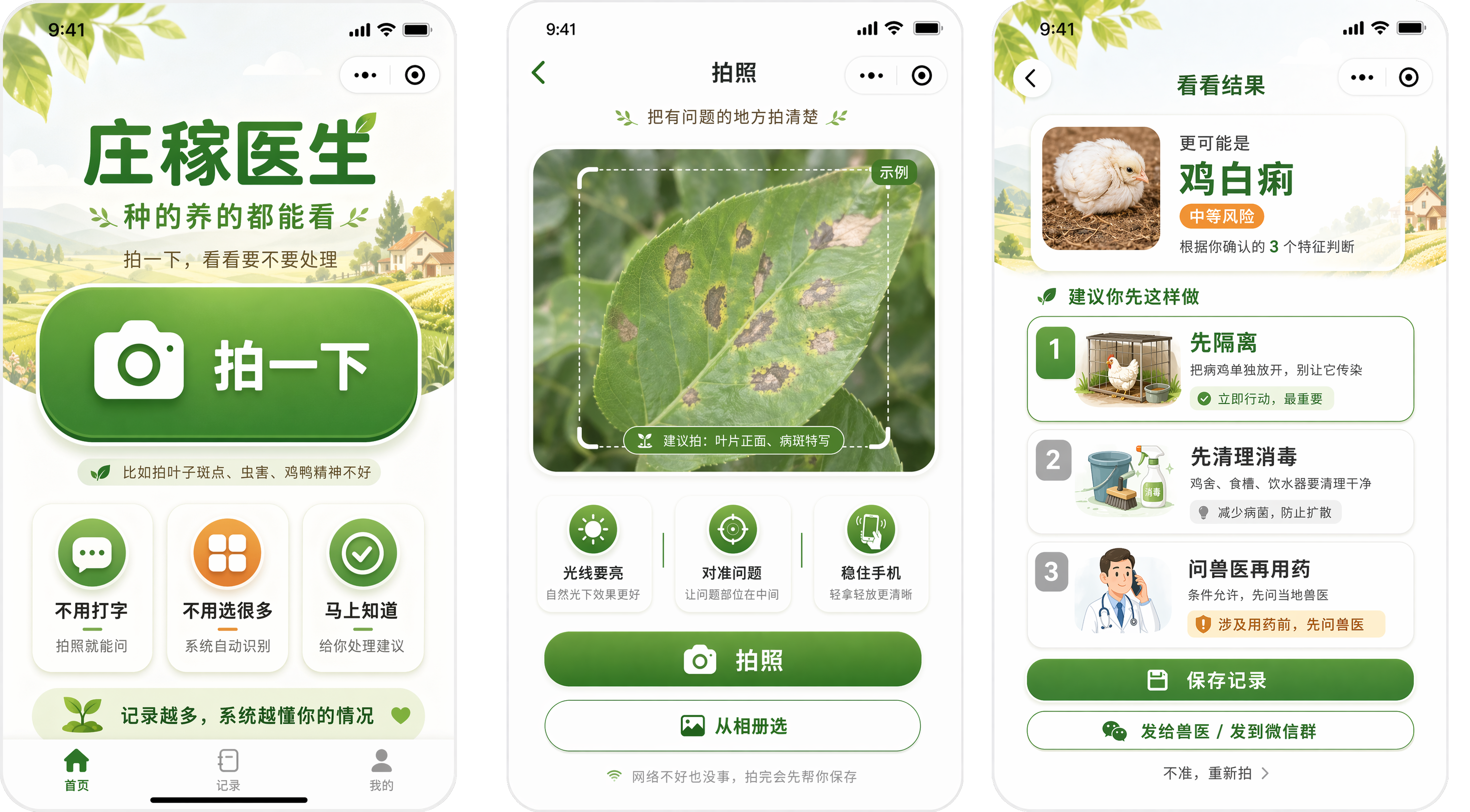
An AI diagnosis tool designed for rural elderly users, helping them identify crop and poultry problems through photo-based diagnosis in a simple and trustworthy way.
The product focuses on reducing interaction burden, increasing trust, and turning complex AI recognition into an experience that elderly farmers can actually use in real-world agricultural scenarios.

Scan to Try
WeChat mini program · prototype preview
Solo Project — Product Strategy · UX Design · Interaction Design · AI Workflow Thinking
The Problem
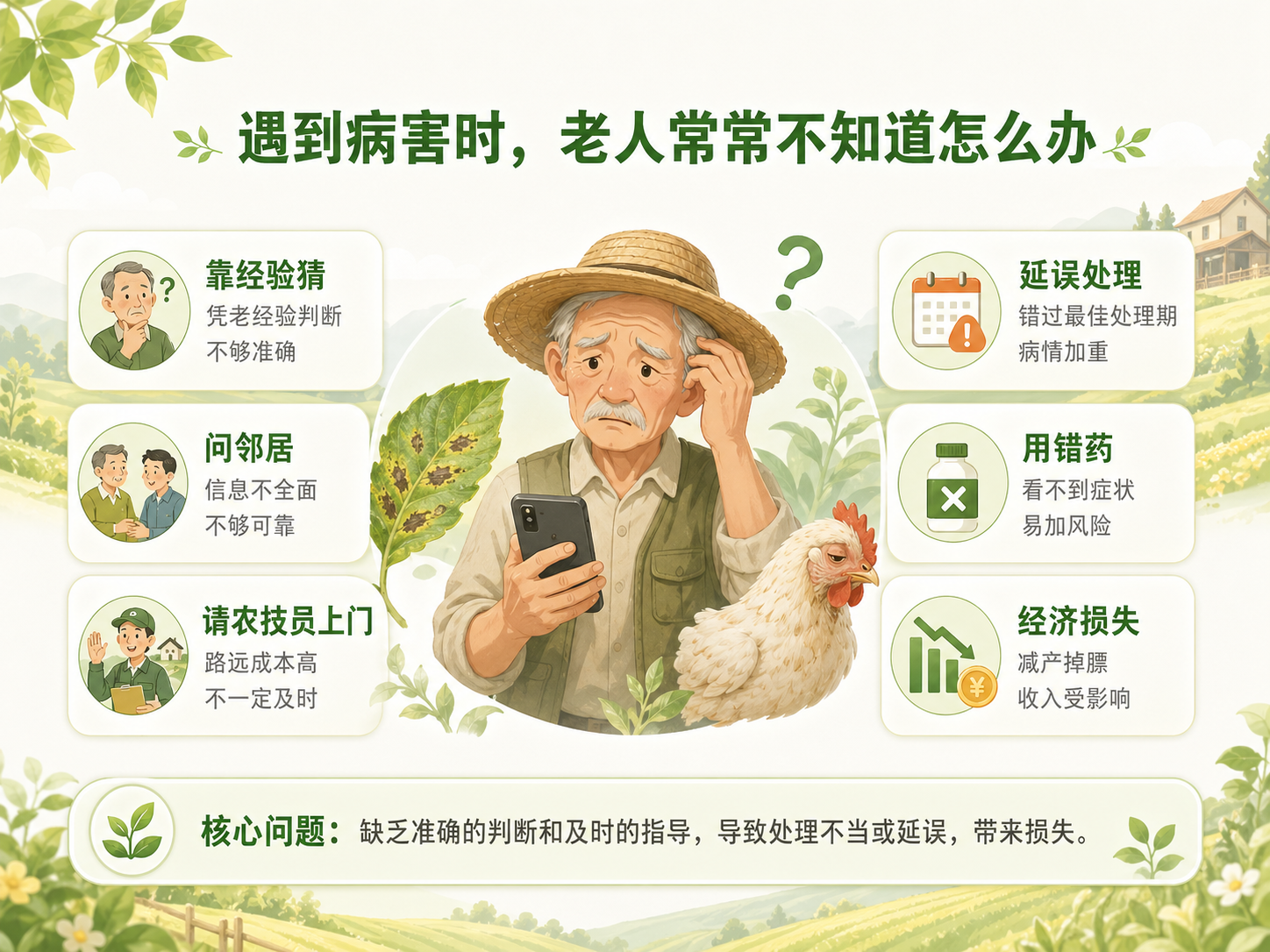
In rural agricultural scenarios, many elderly users still rely on experience, neighbors, or offline stores to deal with crop and poultry health issues. Once a disease appears, they often do not know what the problem is, whether it is urgent, or what to do first.
Most AI products assume users are comfortable with complex interfaces, typing, and interpretation of machine output. But for older rural users, the problem is not only recognition accuracy — it is whether the product feels understandable, low-pressure, and trustworthy enough to use.
The core challenge of this project was to design an AI diagnosis experience that reduces fear and uncertainty while making the system feel simple, supportive, and actionable.
User Context & Design Principles
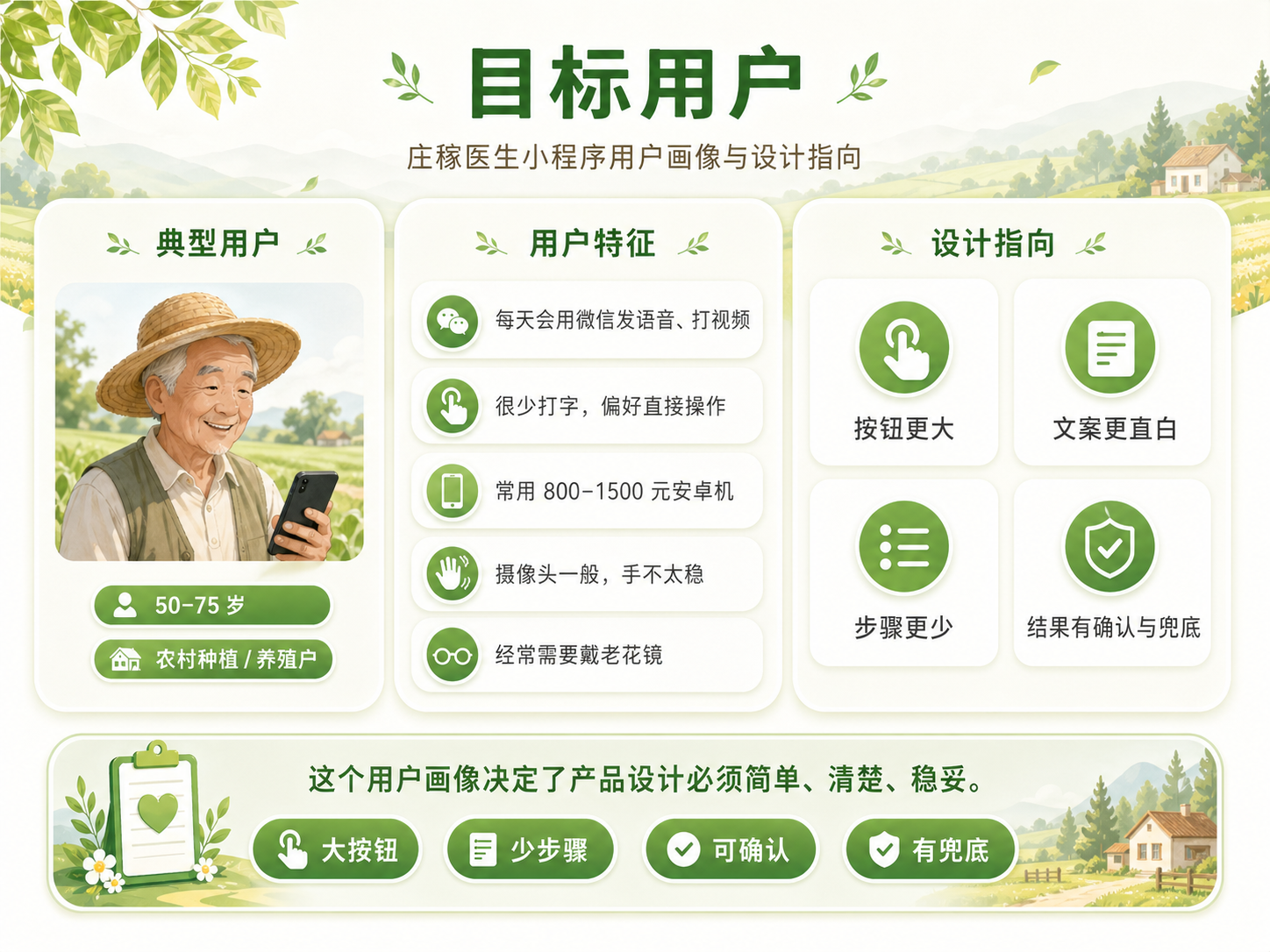
The primary users are older farmers and rural households, often using low-end Android phones in outdoor or weak-network environments. They may have reduced vision, limited typing ability, and low tolerance for complex operations.
Based on these constraints, the design followed several principles:
- Minimize cognitive load through one-task-per-screen flows.
- Use familiar visual language and large, readable controls.
- Reduce the need for text input and abstract interpretation.
- Make AI feel like assistance rather than an authoritative black box.
- Keep the overall interaction calm, clear, and confidence-building.
Core Design Decision
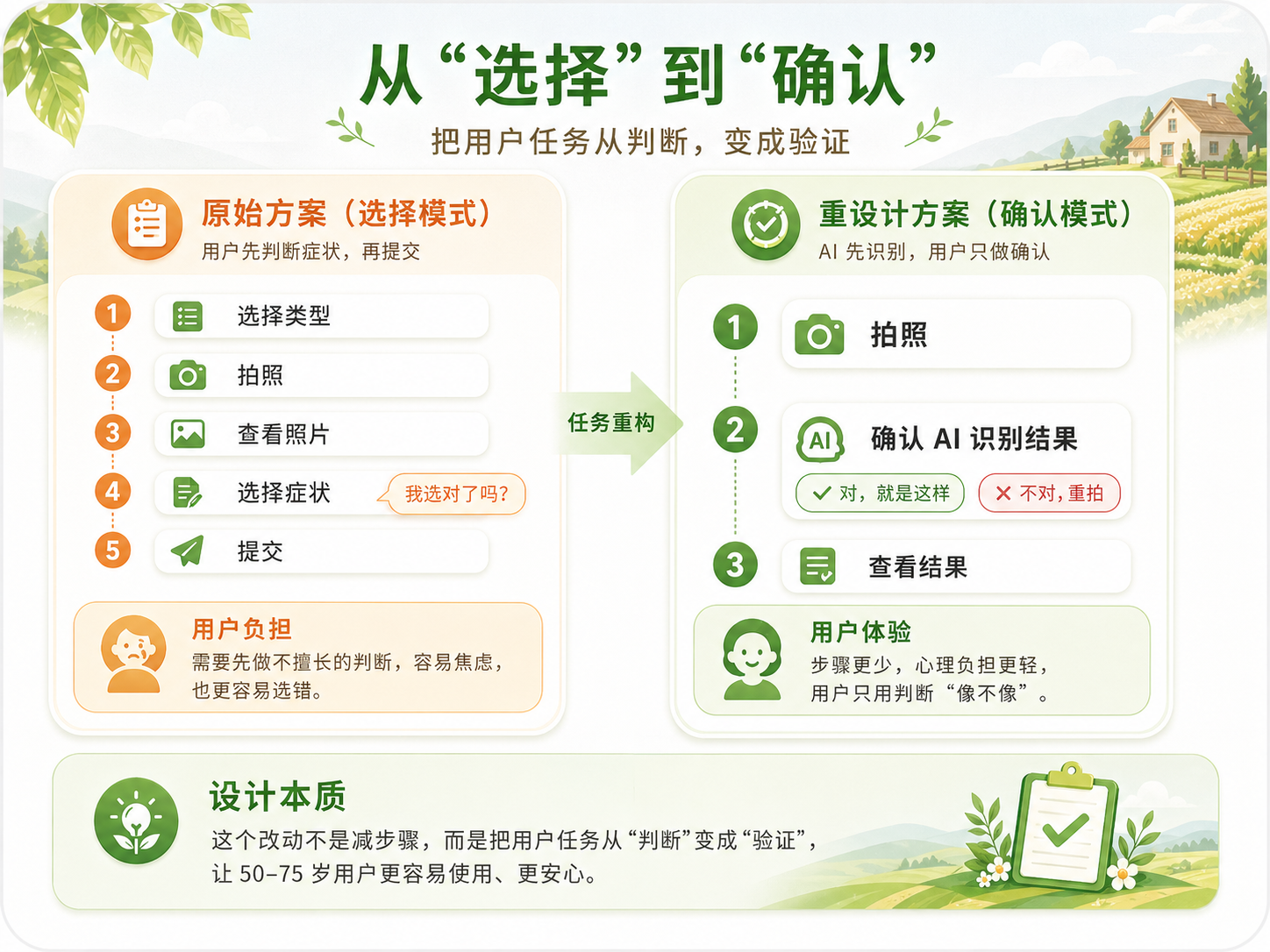
The most important interaction decision in this project was changing the diagnosis flow from a “selection mode” to a “confirmation mode”.
Original approach · Selection mode
In the early concept, users were asked to choose symptoms from a list. This created a high cognitive burden, because users first had to understand agricultural terminology and then map their own observation to the correct symptom.
Revised approach · Confirmation mode
Instead of asking users to identify symptoms by themselves, the AI first extracts visible features and proposes a possible understanding. Users only need to confirm whether the description matches what they see.
This shift dramatically lowers complexity and makes the product feel more like guided assistance rather than a test of the user's judgment.
Core Flow
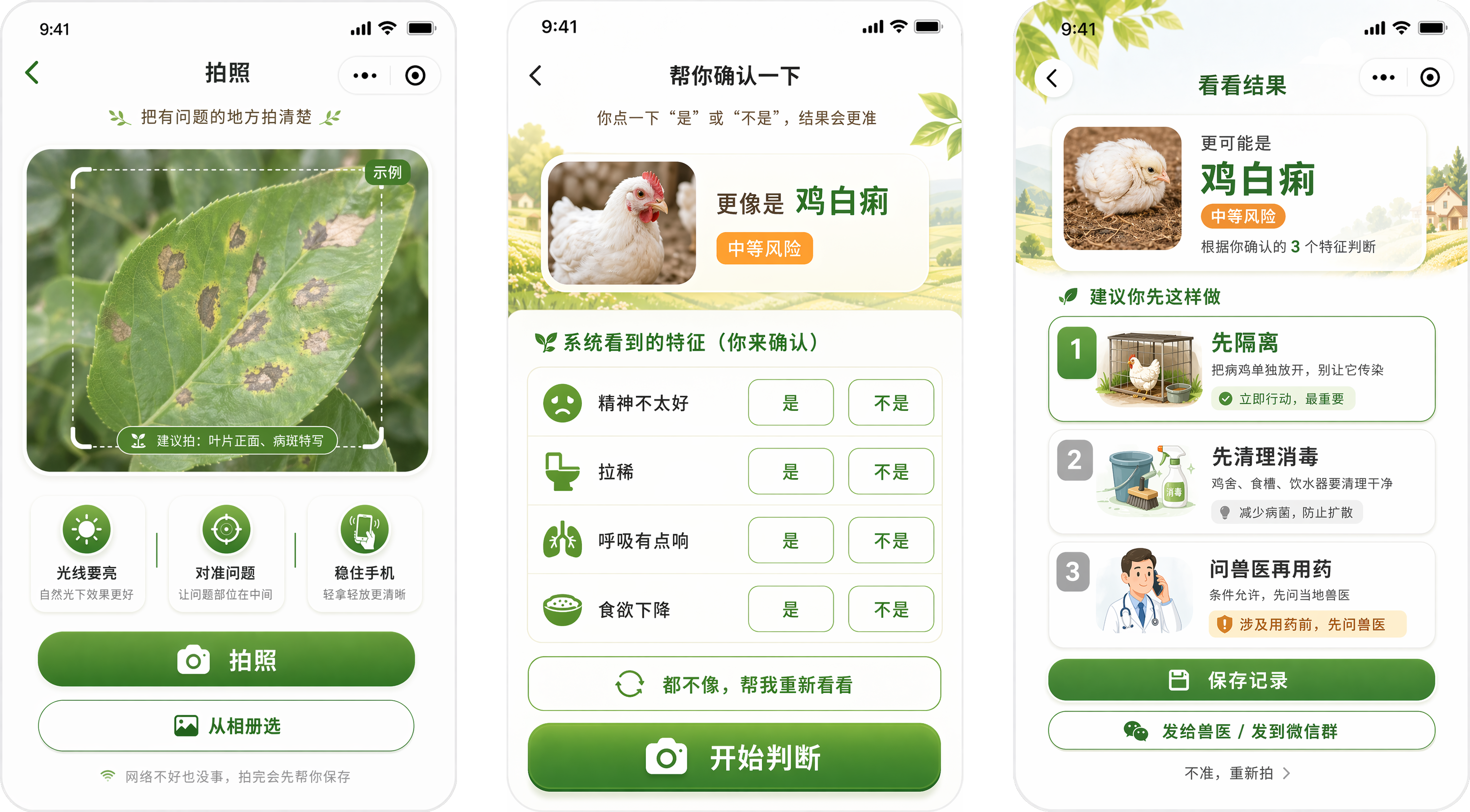
The final diagnosis journey was simplified into a concise three-step flow:
1 · Explore
The user takes a photo or uploads one, with lightweight guidance to help frame the problem clearly.
2 · Confirm
The AI summarizes visible features and asks the user for simple confirmation, reducing the need for technical knowledge.
3 · View Result
The system presents a structured diagnosis result with practical suggestions, follow-up actions, and supportive reassurance.
AI Uncertainty & Trust Design
A major design challenge was handling AI uncertainty. In agricultural scenarios, a wrong answer can increase anxiety or lead to incorrect action, so the interface needed to communicate confidence carefully rather than pretending perfect certainty.
1 · Confidence-based result presentation
Higher-confidence cases can be presented more directly, while lower confidence should be shown as preliminary judgment rather than a final diagnosis.
2 · Multiple possible results instead of a single answer
When the AI is uncertain, showing several possible interpretations helps users understand ambiguity and keeps the system honest.
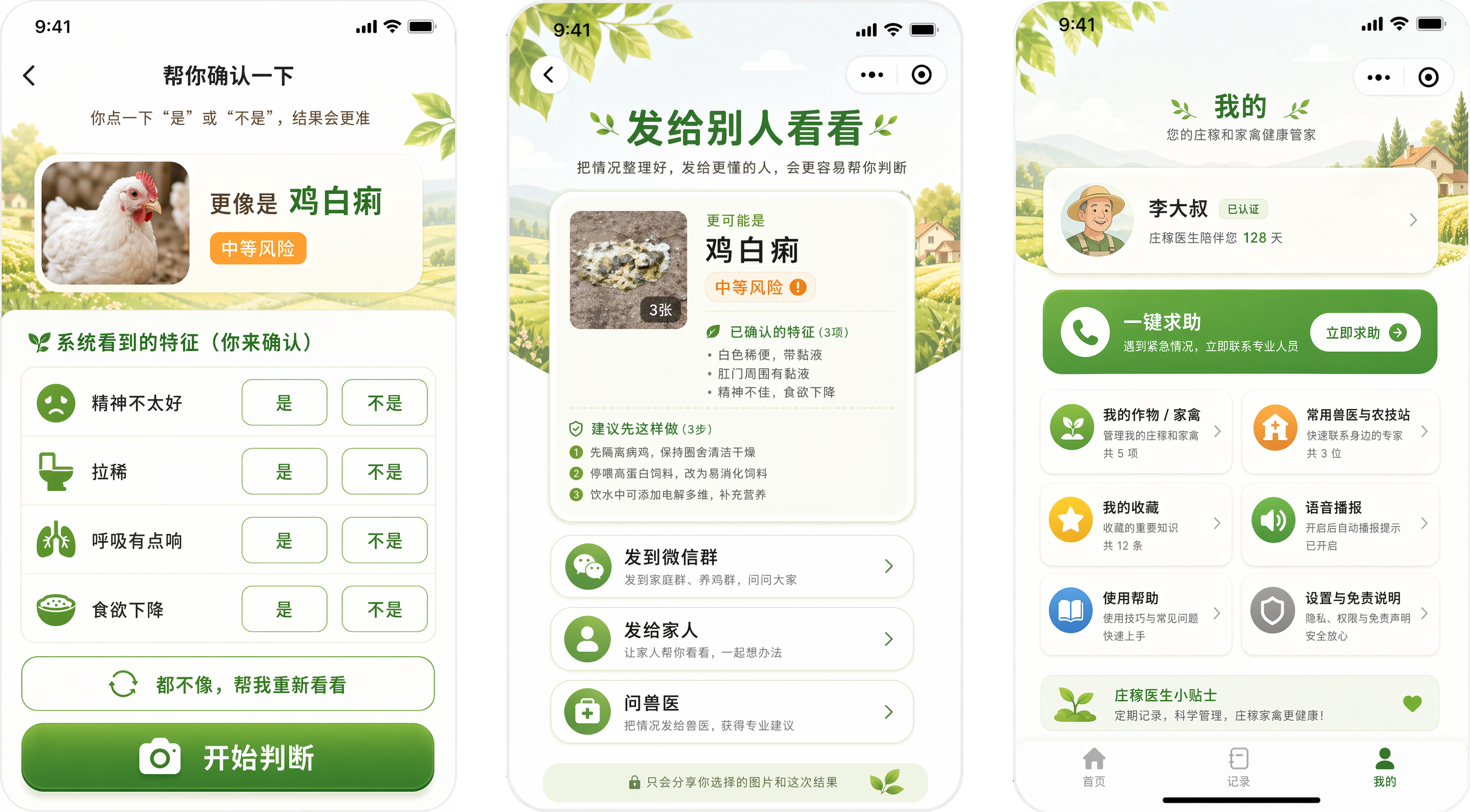
3 · Human fallback
The design leaves room for expert consultation and encourages users to seek further help when needed, making the product a support tool rather than an all-knowing authority.
Technical Implementation
The product was designed as a lightweight mini program experience focused on accessibility and field usability. The design work emphasized clear page flow, readable visual hierarchy, and modular result presentation that can support future AI integration.
The implementation direction considered real-world constraints such as weak network conditions, camera-based input, elderly-friendly interaction patterns, and the need for practical trust-building around AI output.
Reflection
This project helped me rethink what it means to design an AI product for real people in real-world scenarios.
The most important insight was that accuracy alone does not make a useful product. For elderly rural users, usability, reassurance, and trust are just as important as the intelligence behind the system.
Good AI product design is not only about making machines more capable, but about making complex systems feel understandable, supportive, and safe.